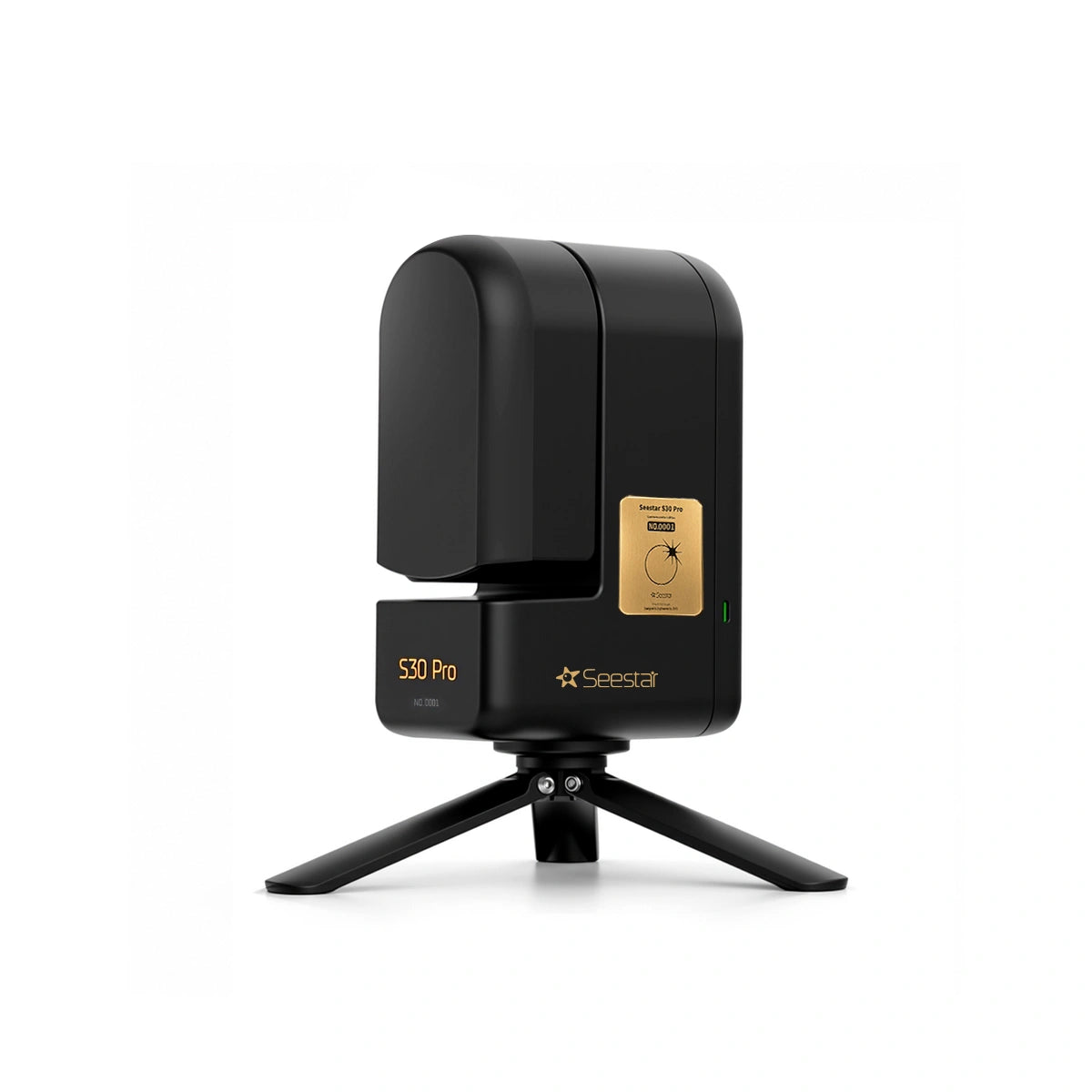
Seestar S30 Pro Total Solar Eclipse Edition
Seestar S30 Pro Total Solar Eclipse Edition
Fylgstu með og taktu myndir af sólmyrkvanum með Seestar S30 Pro Total Solar Eclipse Edition!
Sérstök viðhafnarútgáfa af hinum geysivinsæla Seestar S30 Pro snjallsjónauka!
Seestar S30 Pro er snjallsjónauki með 30mm ljósop. Hentar áhugafólki á öllum aldri. Sjónaukinn er kjörinn fyrir alla fjölskylduna, fullkominn heima eða í sumarbústaðinn – og til að fylgjast með sólmyrkvum!
Sjónaukanum er stýrt með Seestar appinu fyrir snjallsíma og spjaldtölvur (ókeypis öpp, bæði fyrir iOS og Android). Seestar tekur myndir og/eða vídeó af fyrirbærinu sem þú beinir sjónaukanum að og myndirnar birtast í appinu. Hægt að nota að degi til líka til að taka myndir af næsta nágrenni.
Ekki er þörf á neinni þekkingu fyrir fram, hvorki á alheiminum né tækjabúnaði. Innbyggt Wi-Fi/Bluetooth og innbyggð hleðslurafhlaða.
Með sjónaukanum fylgir lítill carbon fiber þrífótur, taska og sólarsía með segli.
Sama verð og í evrópsku vefverslun ZWO.
Ítarupplýsingar
- Tegund: Linsusjónauki / Snjallsjónauki
- Ljósop: 30mm
- Brennivídd: 160mm
- Brennihlutfall: f/5,3 eða f/1,75 (wide-field)
- Rafhlöðuending: 6 klst
- Þyngd: 1,65 kg
Important Notes
Handle with care.
Seestar smart telescope is a precision optical and electronic instrument.
Avoid drops, impacts, or strong shocks, which may cause damage.
Image results may vary.Imaging performance depends on environmental conditions such as lightpollution, atmospheric transparency, parameter settings, and stackingduration. Actual results are subject to real-world shooting conditions.
[1] At 1X magnification, both the telephoto and wide-angle cameras captureimages at 4K (3840 X 2160) resolution. Resolution decreases at 2X and 4Xmagnification. The real-time live preview stream for both cameras is 1080P.
[2] Milky Way imaging requires dark-sky conditions. In areas with significantlight pollution, Milky Way details may be limited or not visible. Resultsdepend on on-site observing conditions.
[3] NFC functionality requires a compatible smartphone. Support varies bydevice and model-please refer to your phone's specifications.To use NFC, ensure the telescope is powered on, the phone is unlocked, and-WI-FI, Bluetooth, NFC, and GPs are enabled on your phone.NFC sensitivity varies by device due to antenna placement. Locating yourphone's NFC sensing area may improve detection.If the Wi-Fi name is changed, NFC information must be updated manually forNFC to work properly.
[4] Due to system usage and storage allocation, available capacity may vary.System updates may affect storage allocation. Please refer to the actualavailable capacity on your device.
[5] Battery performance is measured under laboratory conditions. At 25 °C,battery life is approximately 6 hours in Stargazing Mode (with imageenhancement and object tracking enabled), and approximately 4 hours inScenery Mode video recording (MP4 format, no object tracking).Data provided by ZWO Laboratory for reference only; actual performancemayvary.
[6] 60 s long exposures are supported only in Equatorial Mode and are notavailable in Alt-Azimuth Mode. Accurate polar alignment is required inEquatorial Mode to ensure precise tracking. Inaccurate alignment mayreduce imaging performance.
[7] A solar filter must be installed when observing the Sun. Never allow themain camera to observe the Sun directly, as this may cause permanentdamage to the device.
[8] Smart noise reduction enhances real astronomical images only. Itoptimizes noise and star point quality based on actual captured data.Seestar smart telescope captures real astronomical images and does notgenerate Al-created or synthetic images.
[9] Wi-Fi transmission range is measured under ideal conditions. ZWOLaboratory testing shows a range of up to 20 meters in an open outdoorenvironment without interference. Actual range depends on real-worldconditions.
[10] Sudden changes such as cloud cover, rain, or strong winds may prevent task completion. The device does not automatically power off in these situations.Please confirm weather conditions before scheduling an imaging plan.
[11] Handle with care to avoid dropping.
[12] Product serial numbers are shipped randomly from the warehouse and donot follow order placement sequence. Please consider carefully beforepurchasing if this is unacceptable to you.
[13] When replacing the battery cover, it is recommended to use a plastic prytool. Minor scratches may appear inside the battery-cover slot during removal;this is considered normal. If a metal tool is used to pry open the battery cover,place a piece of paper over the slot before prying to help prevent deeperscratches.
Share